
Gemini for business, in the form most small business owners will meet it first, is a connection between the Gemini app and your Google Business Profile. Once connected, Gemini can update your hours and contact details, draft replies to reviews, publish posts and summarise how your profile performed, all from a chat. Google announced the feature on 10 June 2026 and is rolling it out gradually, but not everyone can use it yet, and several groups are excluded entirely.
This guide covers what the connection does, who is eligible, how to set it up, and what it means for how your business appears on Google Search and Maps. Every detail below comes from Google’s own announcement and help documentation, checked on 5 October 2026.
What Google Announced
On 10 June 2026, Google introduced new Gemini app features for small businesses at its Google for Brazil event. There were two parts:
- A Google Business Profile connection. You link your profile to Gemini, and Gemini can then read your reviews, customer questions and performance data, and act on your profile when you ask it to.
- Business notebooks. A workspace inside Gemini that holds your profile and website as context, keeps your conversations together, and flags items that need attention, such as an unanswered customer question or holiday hours that have not been set.
Google said both would begin rolling out globally that month. Its help centre now notes that the features are being released gradually and may not be available to every account yet.
What Gemini Can Do With Your Business Profile
Google’s help article, Manage your Business Profile on Google with the Gemini web app, lists the tasks in three groups.
| Area | What Gemini can do |
|---|---|
| Profile details | Change regular and special hours, update the website and social links, manage action links for orders, reservations or appointments, edit business attributes, upload photos from a public URL, and manage food menus for restaurants |
| Reviews | Retrieve reviews and star ratings, summarise common themes, and draft or delete replies |
| Posts | Create, schedule, publish or delete Update, Offer and Event posts |
| Insights | Analyse impressions, website clicks, direction requests and bookings, and show the search keywords people used to find you |
Note the wording on reviews: the help article says Gemini can draft or delete replies. Posts are different, because Gemini can publish them directly. Whatever Gemini drafts, the owner is still answerable for what appears on the profile.
Who Can Use It, and Who Cannot
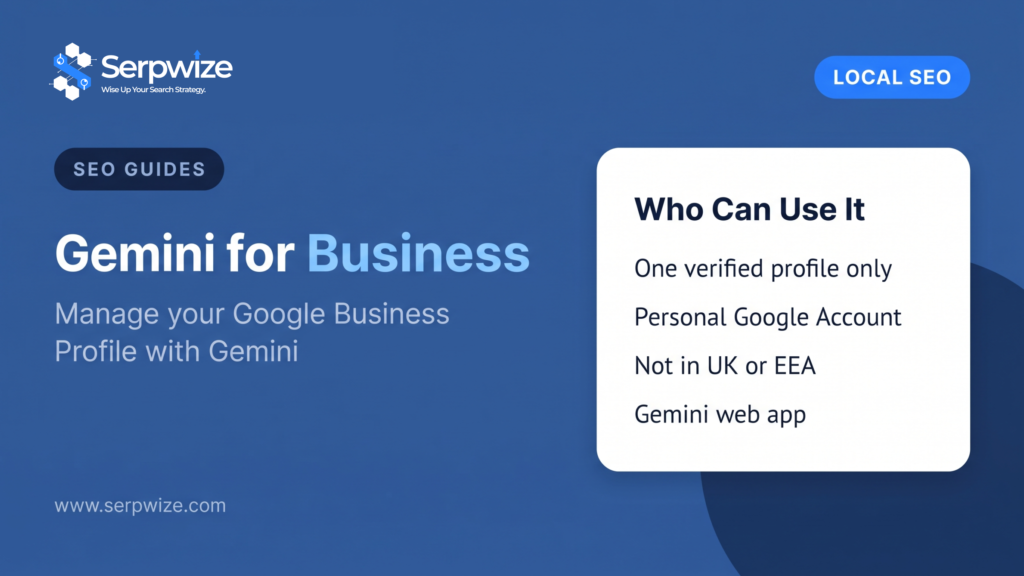
The eligibility rules are stricter than the announcement suggests. According to Google’s help article, you must:
- own or manage only one verified Business Profile;
- be 18 or over;
- sign in to Gemini with a personal Google Account linked to the profile, not a work or school account;
- have Keep Activity turned on in Gemini.
For now, the feature is also:
- not available in the European Economic Area or the United Kingdom;
- available only in Dutch, English, French, German, Hindi, Indonesian, Italian, Japanese, Polish, Portuguese, Spanish and Turkish;
- available only in the Gemini web app at gemini.google.com.
What the single-profile rule means in practice
The one-profile limit applies to the person signing in, not to the business. That rules out three groups:
- Multi-location businesses where one account manages several locations.
- Agencies and freelancers who manage profiles for several clients. Our own team at Serpwize manages many client profiles, so our accounts are not eligible.
- Owners of more than one business who manage both profiles from the same Google account.
A single-location owner who manages their own profile can still use the feature even if an agency also has manager access to it, because the restriction is on the account signing in to Gemini. Equally, the agency cannot use Gemini on that profile from its own account.
How to Connect Google Business Profile to Gemini
- Go to gemini.google.com on a computer.
- Sign in with the same personal Google Account you use for your Business Profile.
- Ask Gemini a question about your profile, such as “how did my business do this month?”
- If the profile is not yet connected, Gemini offers to connect it. Follow the on-screen steps.
- If Gemini does not pick up the profile, add
@Google Business Profileto your prompt.
To create a business notebook, accept the prompt to create one when Gemini offers it, then confirm your website address. The notebook appears in the Gemini sidebar under the same name as your business. You can disconnect the profile at any time in Gemini’s Connected Apps settings.
What This Changes for Local SEO
The connection does not change how Google ranks businesses in Maps or the local pack. Relevance, distance and prominence still decide that. What it changes is how easy it is to keep a profile complete and active, and that has always mattered.
- Fewer excuses for stale profiles. Holiday hours, menus and action links can now be updated in a sentence, and business notebooks flag gaps such as missing holiday hours.
- Faster review replies, same rules. A drafted reply still has to be accurate and follow Google’s guidelines for representing your business. Generic, templated replies across dozens of reviews read as exactly that.
- The search keywords report becomes easier to use. Asking Gemini which searches led people to your profile, and whether they match your services, is a quicker route into data most owners never open.
- Your profile is now AI context. Google built this feature on the information in your profile, reviews and questions. A thin or inaccurate profile gives Gemini less to work with, both when it helps you and, increasingly, when Google’s AI features describe local businesses to searchers.
For businesses outside the eligible group, nothing is lost. Every task Gemini performs can still be done in the Business Profile manager, by the owner or by an agency. Our Google Maps SEO guide covers the ranking side in detail.
How Much Interest There Is in Gemini for Business
US searches for “gemini business”, which also covers phrasings such as “business for gemini”, averaged 6,600 a month between September 2025 and August 2026, according to Google Ads data retrieved through DataForSEO. The figure peaked at 18,100 in January 2026 and had settled at 2,400 by August. “Gemini for business” drew a further 590 searches a month on average.
Not all of that interest is about Business Profile. Google also sells AI plans for organisations, such as Gemini in Google Workspace and Gemini Enterprise through Google Cloud. Those are paid workplace products for teams, and they are separate from the Gemini app connection described here.
Frequently Asked Questions
Can Gemini manage my Google Business Profile?
Yes, if you are eligible. Once connected, Gemini can update hours, contact details, action links, attributes, photos and menus, draft or delete review replies, publish posts, and report on your profile’s performance and search keywords.
Why can’t I see the Google Business Profile option in Gemini?
The most common reasons are that the feature has not reached your account yet, you manage more than one verified profile, you are signed in with a work or school account, Keep Activity is turned off, or you are in the UK or the European Economic Area, where it is not available for now.
Can agencies use Gemini to manage client profiles?
Not at present. The feature is unavailable to anyone with access to more than one verified Business Profile, which covers most agencies and freelancers. The business owner can still connect their own profile from their personal account.
Does Gemini reply to reviews automatically?
Google’s help article says Gemini can draft or delete review replies. Read every draft before it goes live, because the reply appears publicly under your business name.
Is the Gemini Business Profile connection available in the UK?
No. For now, Google lists the United Kingdom and the European Economic Area as excluded. It is available wherever the Gemini web app is supported outside those regions, including the United States and Australia.
Do I need a paid Gemini plan?
Google’s help article does not list a paid subscription among the requirements. Eligibility depends on your account type, the number of profiles you manage, your region and your language.
Managing more than one profile, or want an expert to handle yours? See our Google Business Profile and local SEO service.